
Abrasive and disc body
A thin 12-inch PSA sheet adheres to the rigid rotating metal plate; replace the sheet when loaded or worn.
Shape edges and end grain against a rotating abrasive disc with the work supported on a close-set table.
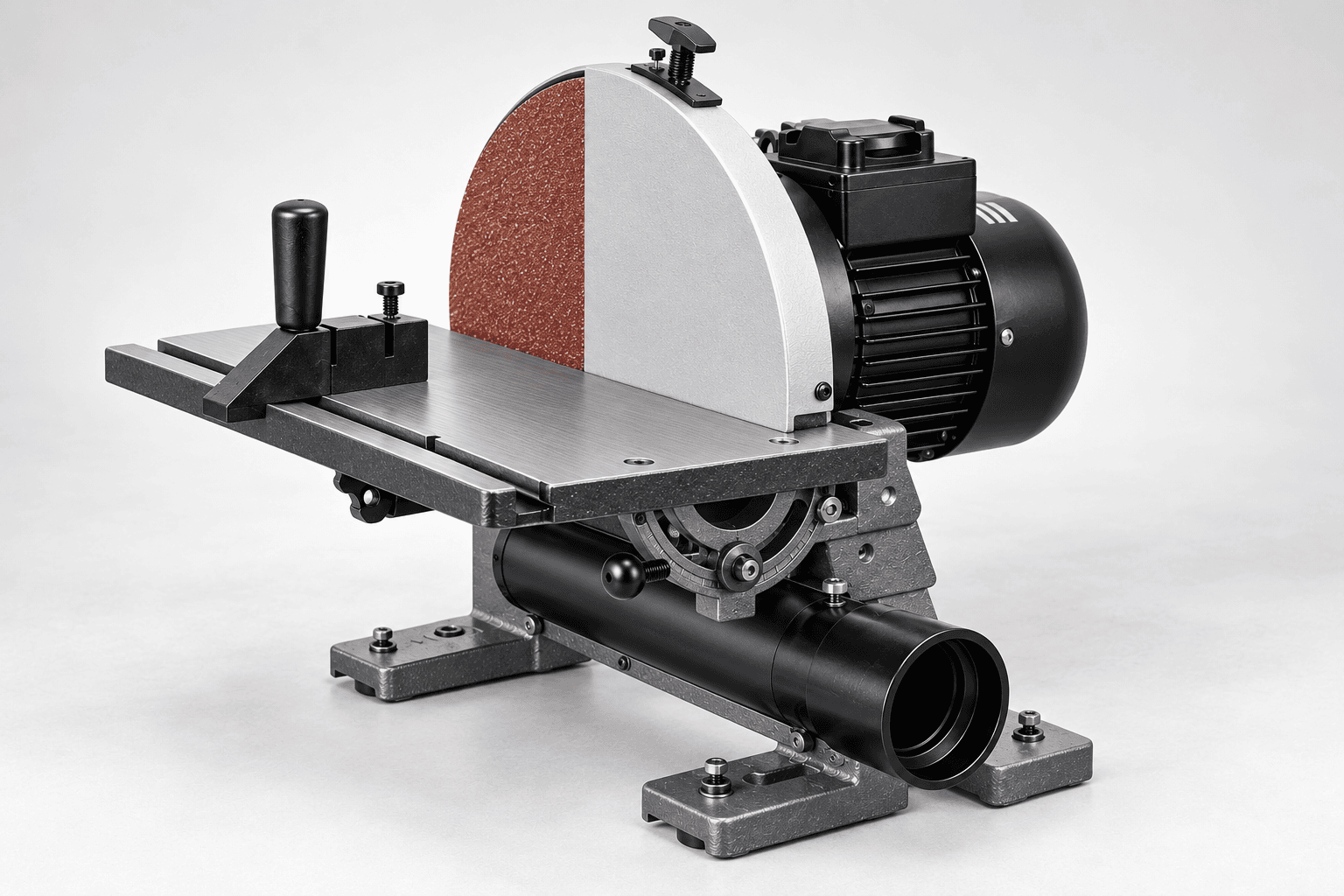
An original educational poster identifies 9 documented construction features. The numbered descriptions remain readable below the artwork on narrow screens.
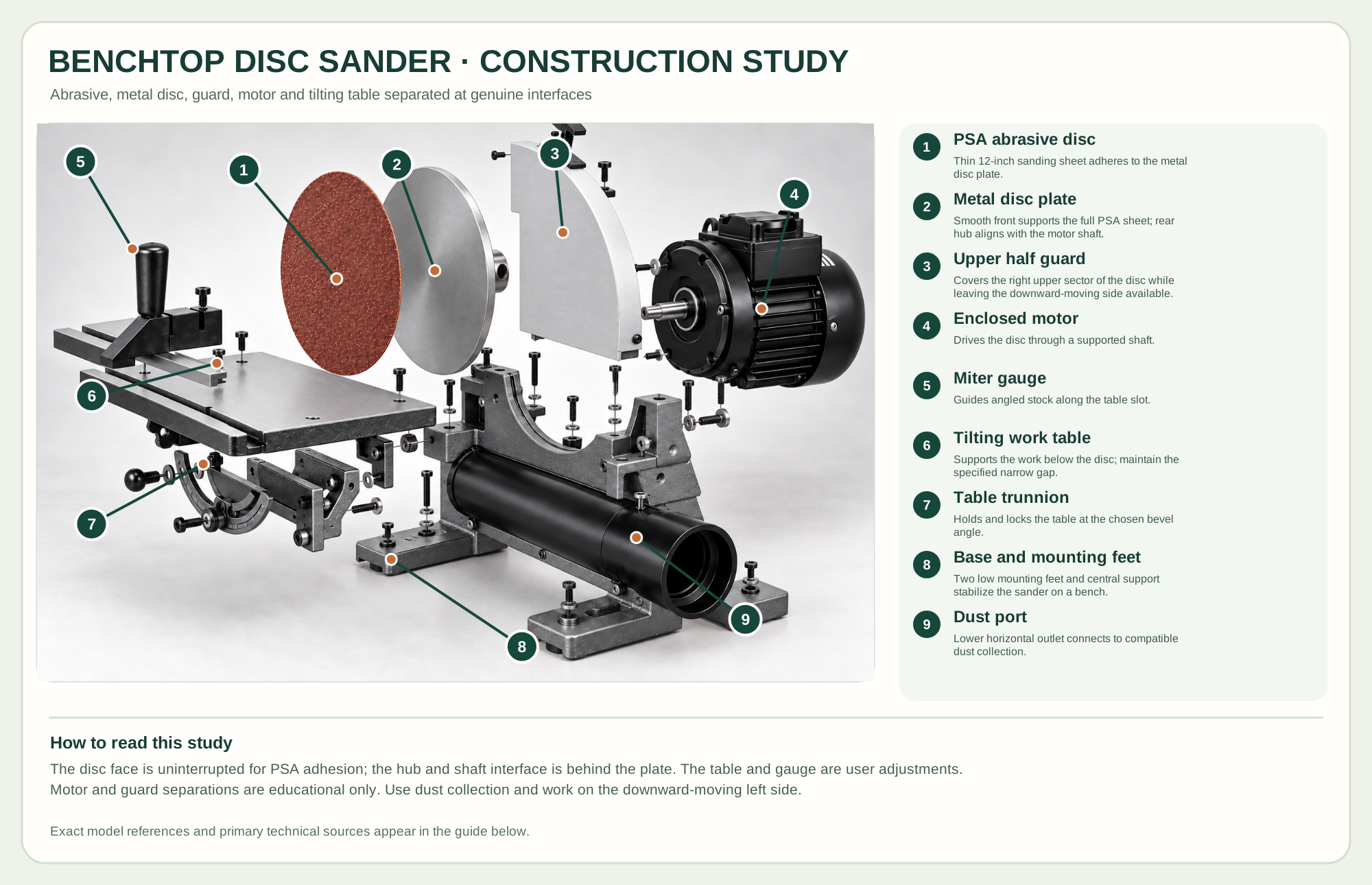
Thin 12-inch sanding sheet adheres to the metal disc plate.
Smooth front supports the full PSA sheet; rear hub aligns with the motor shaft.
Covers the right upper sector of the disc while leaving the downward-moving side available.
Drives the disc through a supported shaft.
Guides angled stock along the table slot.
Supports the work below the disc; maintain the specified narrow gap.
Holds and locks the table at the chosen bevel angle.
Two low mounting feet and central support stabilize the sander on a bench.
Lower horizontal outlet connects to compatible dust collection.
Technical references: Rikon 51-200 official product and parts · Rikon 51-200 manual with exploded parts diagram. The thin PSA abrasive sheet adheres to the smooth front of the metal disc plate; the plate's rear hub faces the motor shaft. The Rikon 51-200 manual supports separate abrasive, disc body, guard, motor, miter gauge, table and trunnion groups. The central support and horizontal dust tube remain on the two mounting feet. This is an educational arrangement, not a motor service sequence. Original educational artwork depicts documented component groups and their relationships; it is not a service sequence or a replacement for the exact model manual.
Rikon's 51-200 is a dedicated 12-inch benchtop disc sander with a ½-hp, 120 V motor, 1,720 rpm disc, tilting work table, included miter gauge and rear dust outlet. It uses pressure-sensitive-adhesive (PSA) abrasive discs, not hook-and-loop sheets. A disc sander excels at controlled edge and end-grain shaping against a table; it does not replace a wide-belt machine for broad face sanding or a spindle sander for inside curves.
The motor shaft drives the rear hub of a metal disc plate. The plate's smooth front carries a full adhered PSA abrasive sheet. The work table registers stock close to the lower front of the rotating disc; its trunnions lock the angle, and a miter gauge tracks the slot. A front upper-right half guard screens the opposite side; a horizontal lower dust outlet leads from the open support. The official manual's parts diagram distinguishes abrasive, disc body, guard, table, trunnions, motor and two mounting feet. Their separated study is educational; electrical and motor repairs are for qualified service.
A thin 12-inch PSA sheet adheres to the rigid rotating metal plate; replace the sheet when loaded or worn.
The flat table supports work at a chosen tilt; the gauge helps guide angled edges along its slot.
The front upper-right guard covers the rising side of the disc; the rear motor drives it and a lower horizontal outlet accepts dust collection.
Side locks hold table angle and two open mounting feet secure the support to a stable bench.
These decisions make the mechanism useful at the bench.
For the manual's rotation direction, use the disc's left side where it presses the work toward the table; avoid the rising right side.
Adjust table-to-disc clearance to no more than the manual's 1/16-inch limit before use.
Keep the work flat and move it across the abrasive; do not hold one spot until it burns or overheats.
Use a suitable gauge and test piece to refine an end-grain edge.
Rotate supported stock smoothly across the descending side without reaching beyond the table.
Set and lock table tilt, then check the angle on scrap before sanding the actual part.
Use the steps for a first pass, then inspect the work before changing the setup.
The left side's downward motion presses stock onto the table; the opposite side can lift or eject it.
Rikon's manual explicitly calls for adhesive-backed discs and says hook-and-loop discs cannot be used on the 51-200.
The manual limits the table-to-disc clearance to 1/16 inch to reduce catching of stock or fingers.
Larger discs offer more working area but demand stable mounting and appropriate dust capture.
PSA, hook-and-loop and other systems are not interchangeable without maker-approved conversion.
Belt/disc machines add a separate sanding path; the chosen 51-200 is a dedicated disc sander.
Stop the tool and disconnect power before investigating a fault or changing a part.
Use fresh suitable grit, move the work steadily and check support and table lock.
Stop, disconnect power and replace with the correct clean PSA sheet firmly centered on the plate.
Check both trunnion locks, table registration and miter gauge setup before another pass.
Use the exact tool manual for setup, limits and replacement parts. These lessons, documents and model pages teach relevant techniques or help compare real variations.
These maker-owned links document relevant tools and tool brands. A product brand may use another company's factory; compare the exact model before choosing parts or accessories.
Cutters, abrasives, guards, guides, dust fittings and service parts vary by tool. Check the model plate and manufacturer manual before ordering or changing a component.
Compare the Sanding family →Continue through the Tools library