
Oscillating head
Enclosed drive converts motor rotation to a small accessory swing; its internals are not represented as user-service parts.
Use a small oscillating accessory for flush cuts, careful trimming, scraping and detail sanding.
An original educational poster identifies 8 documented construction features. The numbered descriptions remain readable below the artwork on narrow screens.
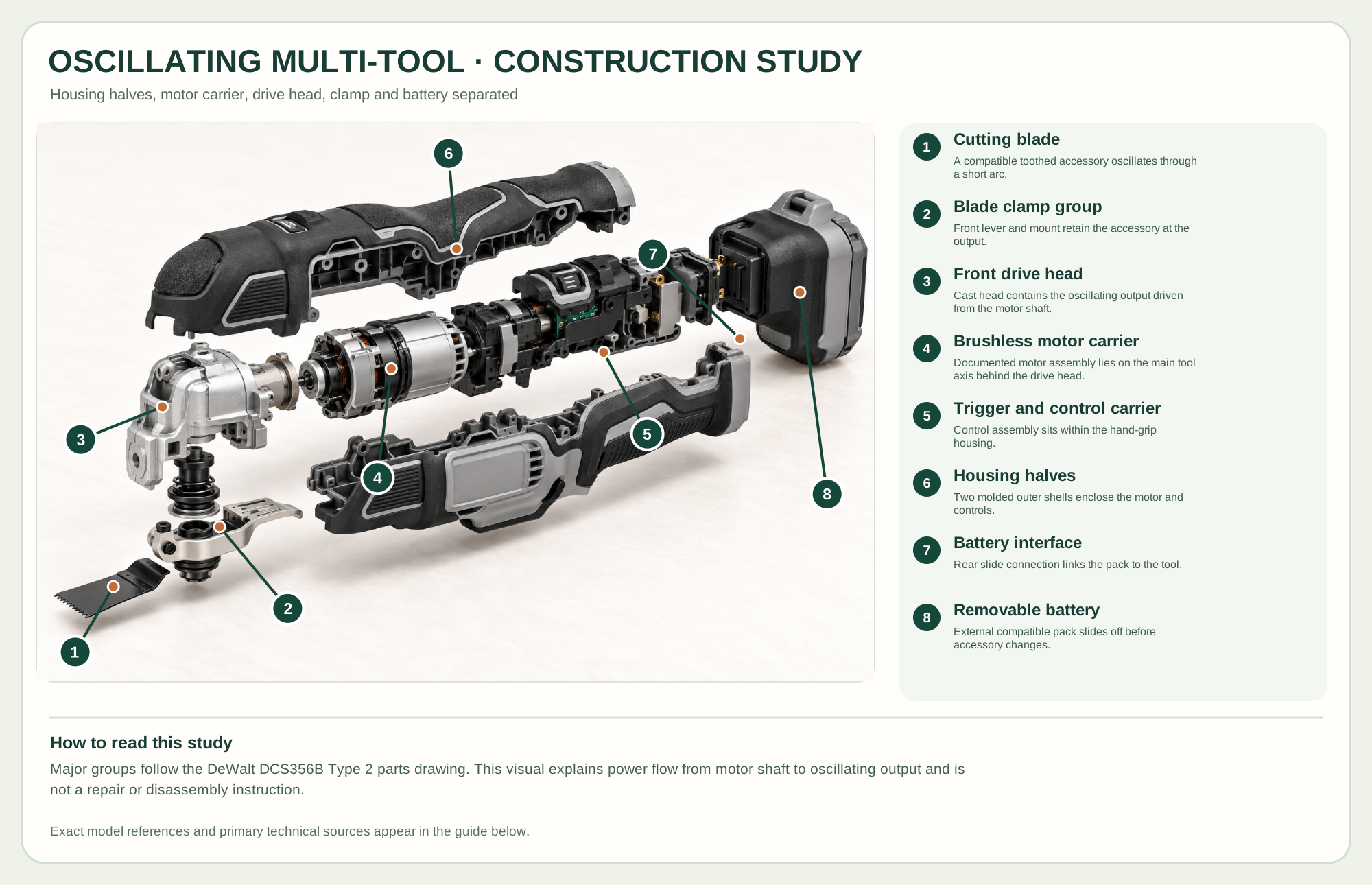
A compatible toothed accessory oscillates through a short arc.
Front lever and mount retain the accessory at the output.
Cast head contains the oscillating output driven from the motor shaft.
Documented motor assembly lies on the main tool axis behind the drive head.
Control assembly sits within the hand-grip housing.
Two molded outer shells enclose the motor and controls.
Rear slide connection links the pack to the tool.
External compatible pack slides off before accessory changes.
Technical references: DeWalt DCS356B official product · DeWalt Type 2 official instruction manual · DeWalt Type 2 official parts drawing. The Type 2 parts drawing supports distinct housing halves, motor carrier, drive head, clamp groups and controls. The battery and blade are normal removable accessories; the interior separation is educational only. Original educational artwork depicts documented component groups and their relationships; it is not a service sequence or a replacement for the exact model manual.
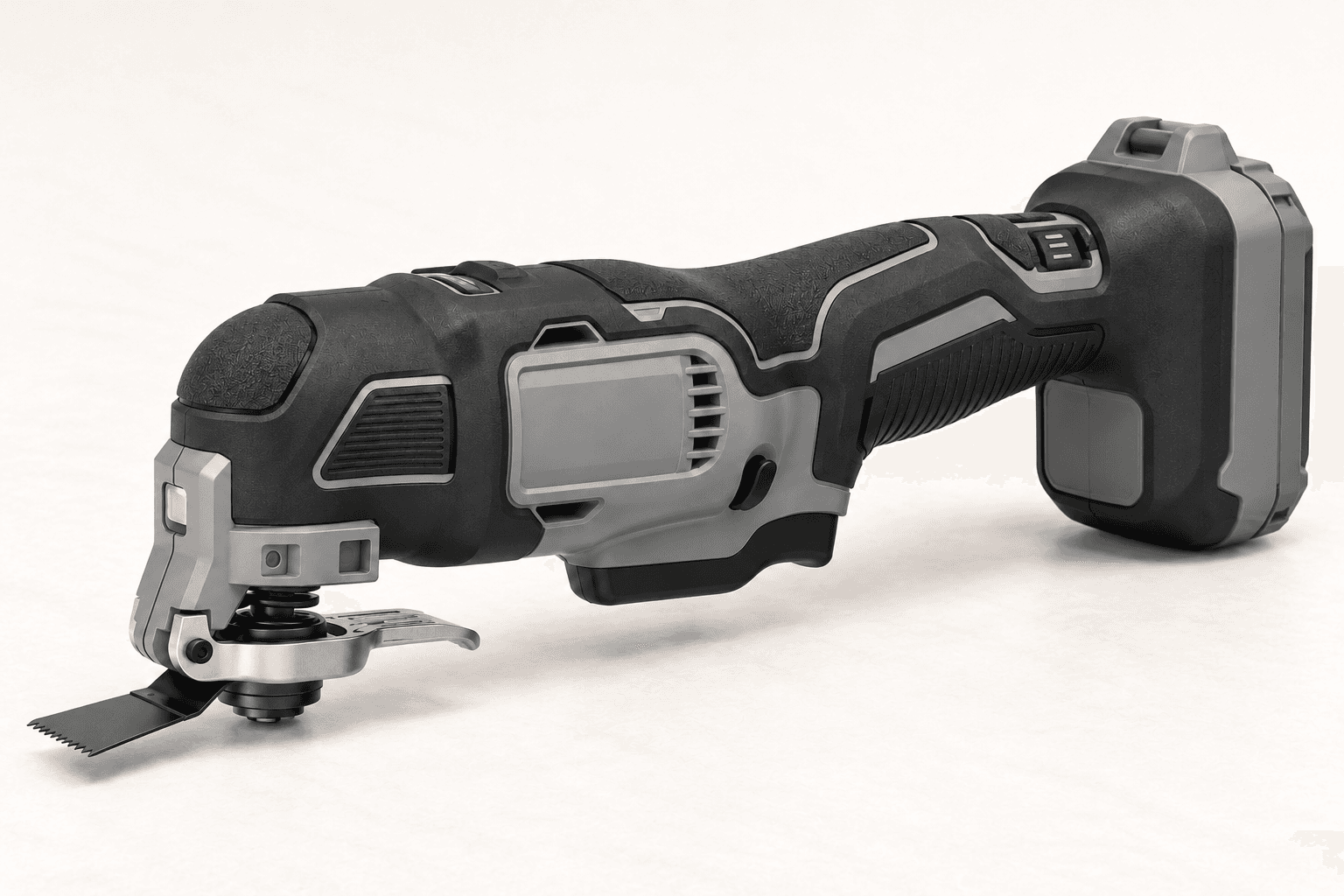
The DeWalt DCS356B Type 2 is a 20V MAX brushless, cordless, three-speed oscillating multi-tool with variable-speed trigger, Quick-Change accessory clamp and front LED. Its battery and charger are sold separately in the tool-only package. The original illustration neutralizes exterior color and markings while preserving the visible form and controls. Oscillation gives a short side-to-side accessory motion; it is not a spinning rotary cutter or a full-stroke reciprocating saw.
A charged compatible battery slides onto the rear shoe. The trigger controls a brushless drive, while the speed selector sets one of three ranges. The head oscillates an installed blade or sanding attachment through a small arc. The spring-loaded accessory clamp allows blade changes as described in the official manual. The Type 2 parts drawing supports the study's separated housing halves, motor/control carrier, front drive head, clamp, blade and battery. It is an educational arrangement, not a user teardown sequence.
Enclosed drive converts motor rotation to a small accessory swing; its internals are not represented as user-service parts.
The front lever releases a compatible blade. Teeth, blade shape and mounting interface must match the task and tool.
The variable trigger meters motion, the body selector chooses a range, and the LED illuminates the cut area.
The rear slide interface accepts a compatible battery. Remove the pack before changing accessories or maintaining the tool.
These decisions make the mechanism useful at the bench.
Remove the battery, open the clamp as the manual directs, position a compatible blade at the needed angle and ensure it locks.
Set an appropriate range, secure the work and hold the body so the blade cannot contact a hidden hazard.
Start gently, use shallow pressure and control plunge depth; forcing the blade overheats it and worsens accuracy.
Use a suitable flush-cut blade with a protective shim where a finished face could be scratched.
Start on the waste side and advance gradually within the blade's rated material and depth.
Fit the maker-approved scraper or sanding pad for adhesive cleanup and small detail areas.
Use the steps for a first pass, then inspect the work before changing the setup.
A short oscillating sweep permits close and flush work, but the exposed blade can still cut deeply and rapidly.
Wood, metal, scraper and sanding accessories differ. Select material rating and interface from the maker's documentation.
The official parts drawing distinguishes housing, motor carrier and front drive components. Their separated view explains power flow; owners should follow the manual for ordinary blade and battery changes only.
Corded versions suit long duty cycles; cordless versions need compatible charged packs.
Tool-free and bolted mounts vary. Check genuine accessory compatibility and lock engagement.
Some tools use dial, selector or trigger control; the illustrated DCS356B has a three-speed selector and variable trigger.
Stop the tool and disconnect power before investigating a fault or changing a part.
Stop, remove the battery and inspect accessory fit, clamp seating and blade damage.
Use a sharp blade rated for the material, lighten pressure and choose a suitable speed range.
Check battery charge and engagement, then follow the manual's fault guidance; do not bypass safety controls.
Use the exact tool manual for setup, limits and replacement parts. These lessons, documents and model pages teach relevant techniques or help compare real variations.
Primary safety, accessory-clamp, battery, speed and operation instructions.
Official exploded reference used to check visible body, front drive and rear battery geometry; it is not a user teardown guide.
These maker-owned links document relevant tools and tool brands. A product brand may use another company's factory; compare the exact model before choosing parts or accessories.
Cutters, abrasives, guards, guides, dust fittings and service parts vary by tool. Check the model plate and manufacturer manual before ordering or changing a component.
Compare the Saws family →Continue through the Tools library