
One-piece base and registration faces
The steel base carries horizontal and vertical board faces and can be clamped or bolted to the bench; it is not a stack of detachable plates.
Register boards and guide a router through repeatable half-blind, through and box-joint patterns.
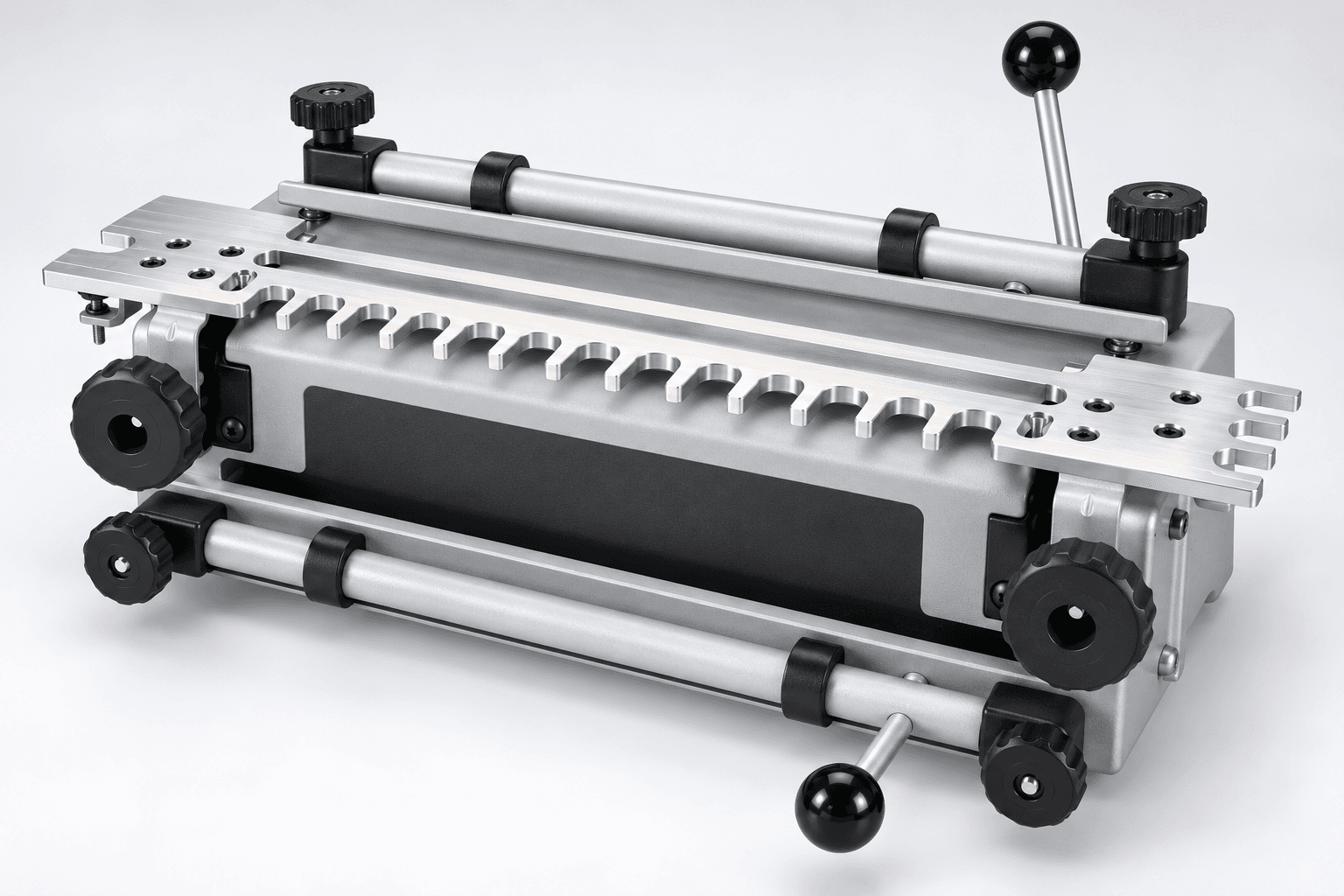
An original educational poster identifies 8 documented construction features. The numbered descriptions remain readable below the artwork on narrow screens.
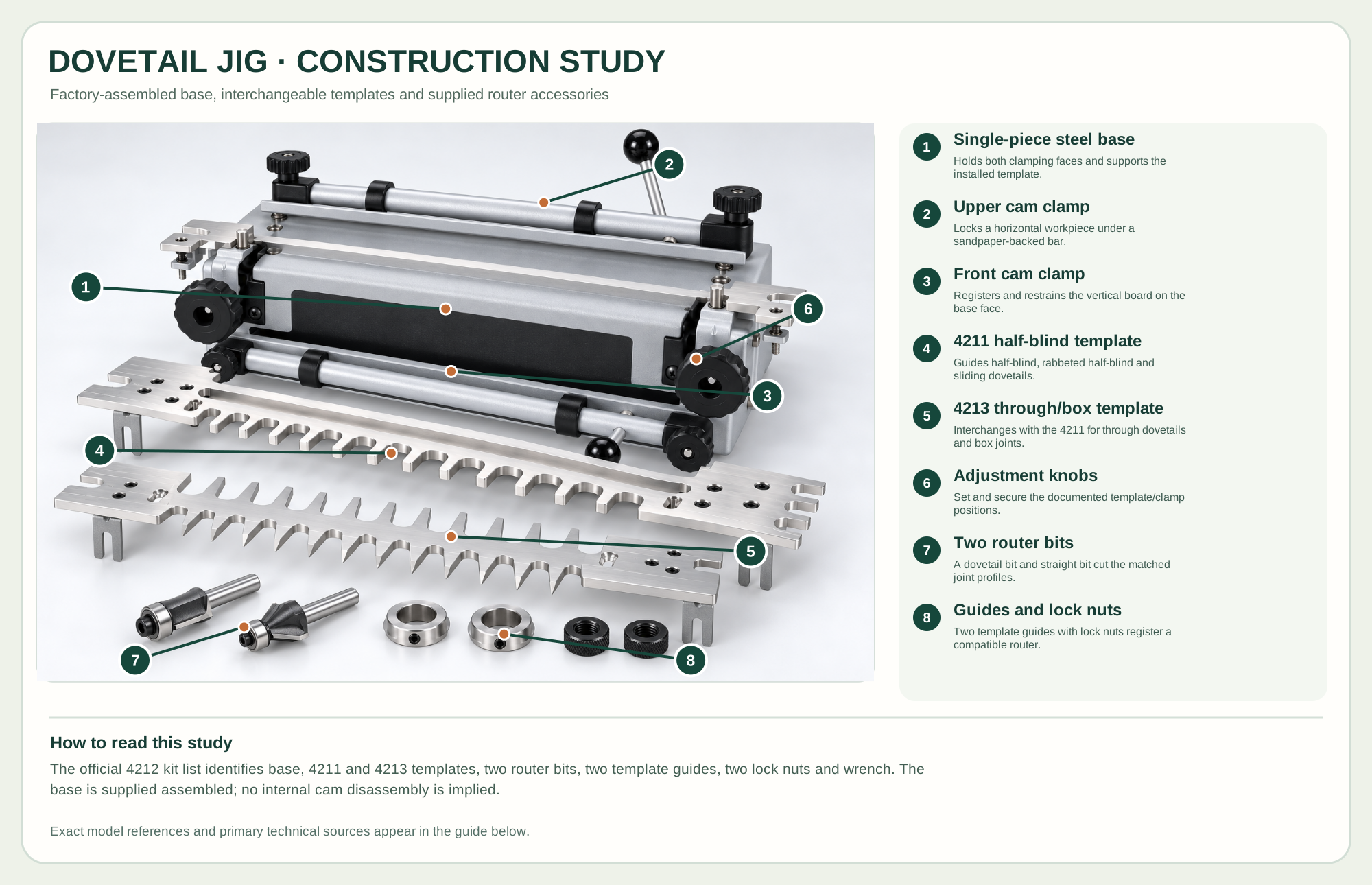
Holds both clamping faces and supports the installed template.
Locks a horizontal workpiece under a sandpaper-backed bar.
Registers and restrains the vertical board on the base face.
Guides half-blind, rabbeted half-blind and sliding dovetails.
Interchanges with the 4211 for through dovetails and box joints.
Set and secure the documented template/clamp positions.
A dovetail bit and straight bit cut the matched joint profiles.
Two template guides with lock nuts register a compatible router.
Technical references: PORTER-CABLE 4212 official product and kit contents · PORTER-CABLE 4210/4212/4216 official instruction manual. The single-piece steel base and its clamp mechanisms remain together. Two included aluminum templates are interchangeable. Router bits, template guides and lock nuts are supplied accessories; the view explains kit relationships, not a service sequence. Original educational artwork depicts documented component groups and their relationships; it is not a service sequence or a replacement for the exact model manual.
The PORTER-CABLE 4212 is a 12-inch jig supplied with interchangeable 4211 half-blind/sliding and 4213 through/box-joint templates, two matching router bits, two template guides and lock nuts. Its durable single-piece steel base requires no assembly. The illustrated metalwork is original and unbranded; specific model names remain in the technical references so users can verify setup. A template fixes spacing and geometry but the router, bit, guide and stock thickness must still match the intended joint.
Cam-type clamps press sandpaper-backed bars against horizontal and vertical workpieces on the base. The installed machined aluminum comb provides a path for a compatible router template guide. The selected bit cuts one joint family at the depth established by the maker's depth gauge and a test fit. The construction view leaves the factory-assembled base and clamps intact while showing the two documented templates and included router accessories as separate kit groups. It is not a service sequence.
The steel base carries horizontal and vertical board faces and can be clamped or bolted to the bench; it is not a stack of detachable plates.
The two cam levers tension sandpaper-backed bars against the boards. Clean contact surfaces and adequate clamp pressure prevent a board from shifting.
Machined aluminum combs interchange for different joint families. Their end slots and brackets support alignment; template teeth are not adjustable individual fingers.
The included dovetail and straight bits pair with specific guides and lock nuts. Verify the exact template/bit/guide combination in the manual.
These decisions make the mechanism useful at the bench.
Fasten the base to a stable bench. Seat the reference edges and engage both cam clamps before approaching with a router.
Select the appropriate 4211 or 4213 template and its matching bit and guide. Follow the manual's stock orientation and depth gauge.
Cut scrap of the same species and thickness, then adjust depth or template position only as the maker describes.
Use half-blind dovetails where the front should conceal the joint ends; label inside/outside faces before clamping.
Use the through-dovetail or box-joint template with the documented matching bit and guide.
Use the 4211 sliding-dovetail arrangement only with the stock and router setup shown in the manual.
Use the steps for a first pass, then inspect the work before changing the setup.
The 4211 and 4213 combs set their own pattern; trying to move individual teeth would damage the tool.
Stock thickness, reference orientation, bit depth and matching guide affect whether the two boards assemble.
The maker supplies a one-piece base; the study separates interchangeable templates and accessories rather than inventing base internals.
Hides the end grain on one show face and uses the documented 4211 combination.
Shows tails and pins on both faces and uses the 4213 configuration.
Straight interlocking fingers use the 4213 template with the correct straight-bit setup.
Stop the tool and disconnect power before investigating a fault or changing a part.
Verify template/bit/guide pairing, bit depth and stock orientation; adjust on scrap according to the manual.
Inspect clamping, template bracket position and router guide contact; check whether the stock shifted.
Check bit sharpness, support and the maker's staged cutting approach.
Use the exact tool manual for setup, limits and replacement parts. These lessons, documents and model pages teach relevant techniques or help compare real variations.
These maker-owned links document relevant tools and tool brands. A product brand may use another company's factory; compare the exact model before choosing parts or accessories.
Cutters, abrasives, guards, guides, dust fittings and service parts vary by tool. Check the model plate and manufacturer manual before ordering or changing a component.
Compare the Joinery family →Continue through the Tools library