
Front and rear shoes
The front base adjusts with the depth knob; the rear base is the reference that rides on the freshly cut wood.
Trim an edge or door with a controlled cutter depth, flat shoe registration and shallow overlapping passes.
An original educational poster identifies 10 documented construction features. The numbered descriptions remain readable below the artwork on narrow screens.
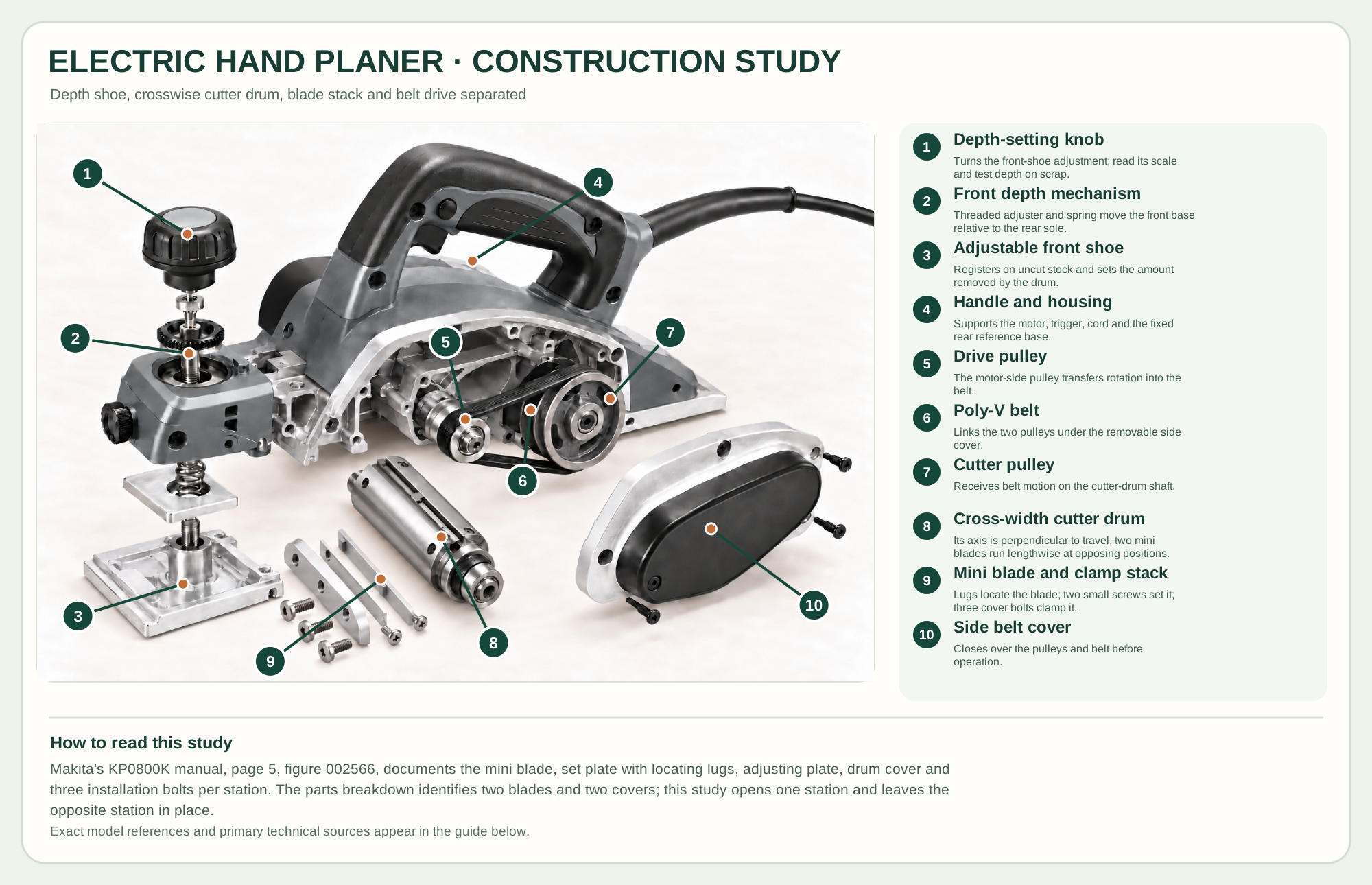
Turns the front-shoe adjustment; read its scale and test depth on scrap.
Threaded adjuster and spring move the front base relative to the rear sole.
Registers on uncut stock and sets the amount removed by the drum.
Supports the motor, trigger, cord and the fixed rear reference base.
The motor-side pulley transfers rotation into the belt.
Links the two pulleys under the removable side cover.
Receives belt motion on the cutter-drum shaft.
Its axis is perpendicular to travel; two mini blades run lengthwise at opposing positions.
Lugs locate the blade; two small screws set it; three cover bolts clamp it.
Closes over the pulleys and belt before operation.
Technical references: Makita KP0800K product and specifications · Makita KP0800K instruction manual · Makita KP0800K numbered parts breakdown. The front shoe adjusts relative to the fixed rear shoe. The drum axis crosses the planing width, perpendicular to wood travel; each thin mini blade runs along that axis at one of two opposing drum positions. One blade station is separated to show its locating and clamping stack. A side poly-V belt connects motor and drum pulleys. This teaching arrangement is not a service sequence. Original educational artwork depicts documented component groups and their relationships; it is not a service sequence or a replacement for the exact model manual.
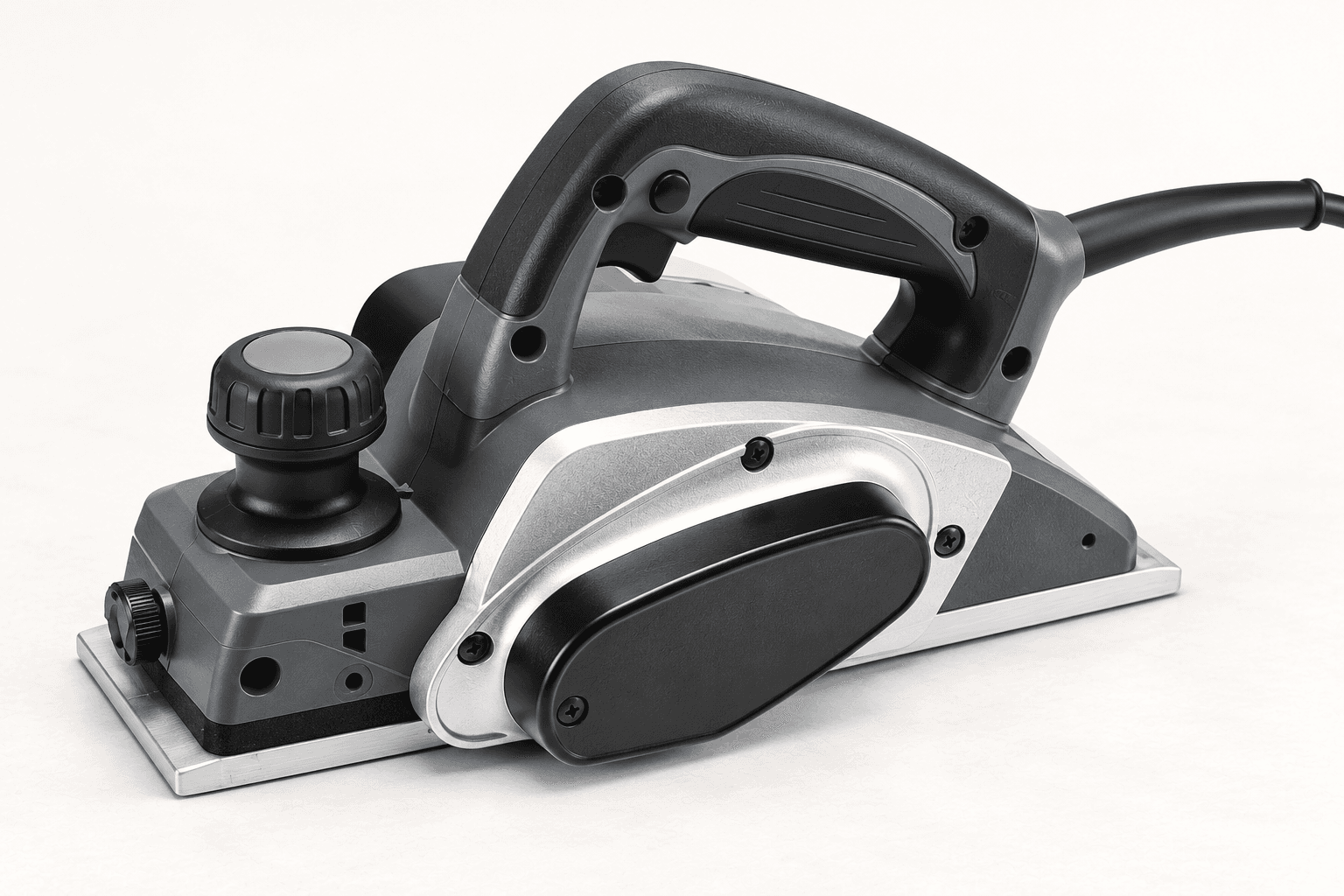
Makita's KP0800K is a 6.5-amp corded 3¼-inch planer with a 17,000-rpm cutterhead and two knives. It excels at controlled edge trimming and fitting; it does not replace a jointer's long reference bed or a thickness planer's parallel-face control. The original illustration retains the maker-documented front adjustable base, fixed rear base and belt-driven drum without model branding.
The front shoe sits at the selected depth below the fixed rear reference shoe. As the tool advances, a two-knife drum removes the difference, and the rear shoe bears on the new surface. The drum axis crosses the planing width, perpendicular to travel; the two thin mini blades run along its axis at opposing positions. Each blade's groove meets locating lugs on a set plate; an adjusting plate and two pan-head screws set its position, and a drum cover with three installation bolts clamps that station. A motor pulley drives the drum pulley through a poly-V belt beneath the side cover. The construction study separates documented groups for teaching; its spatial order is not a service procedure.
The front base adjusts with the depth knob; the rear base is the reference that rides on the freshly cut wood.
Two matched thin edges run lengthwise along the drum at opposing positions. The locating set plate, adjusting plate, drum cover and installation bolts hold each station; use the exact manual to set both edges. Stop the tool before setting it down.
A covered poly-V belt couples the motor and drum pulleys; do not run with the side cover removed.
Keep the chip path clear. The spring-loaded stand helps keep stationary knives off a supporting surface after the drum stops.
These decisions make the mechanism useful at the bench.
Disconnect power, turn the front-base knob to a shallow setting, and verify the actual cut in waste stock.
Start with the front shoe flat on the work; transition pressure to the rear shoe as it reaches the cut.
Keep the tool level through the trailing edge, then lift after the cutter clears the stock.
Mark the removal line, support the door and take light passes while checking clearances.
Use a straight reference and overlapping cuts, then check with a straightedge; do not claim jointer-flat accuracy.
Use the shoe's documented V-groove as directed and test the angle on scrap.
Use the steps for a first pass, then inspect the work before changing the setup.
The front and rear bases are separate surfaces; the cutter removes their height difference.
Unequal projection causes ridges, vibration and poor finish. Use the specified knife-setting method.
The belt, pulleys and cutter are spaced to show relationships, not an order for taking apart an energized machine.
Compare sustained power and runtime for the work; this reference is corded.
Models differ in reversible mini knives and resharpenable blade systems; buy exactly compatible parts.
A wider shoe covers more stock but still needs controlled registration and support.
Stop the tool and disconnect power before investigating a fault or changing a part.
Inspect matched knife height, damage, feed speed and grain; reset knives by the official method.
Reduce depth, inspect knife sharpness and clear chips after disconnecting power.
Check work support and shift pressure from front to rear shoe without tipping.
Use the exact tool manual for setup, limits and replacement parts. These lessons, documents and model pages teach relevant techniques or help compare real variations.
These maker-owned links document relevant tools and tool brands. A product brand may use another company's factory; compare the exact model before choosing parts or accessories.
Cutters, abrasives, guards, guides, dust fittings and service parts vary by tool. Check the model plate and manufacturer manual before ordering or changing a component.
Compare the Planers & Jointers family →Continue through the Tools library