
U-shaped holder and clamp screw
The holder supports the gouge shaft. Tighten only enough to prevent movement; the clamping screw and registration disc are documented parts.
Register a turning or carving gouge and repeat a controlled sweep over a wet-grinding wheel.
An original educational poster identifies 9 documented construction features. The numbered descriptions remain readable below the artwork on narrow screens.
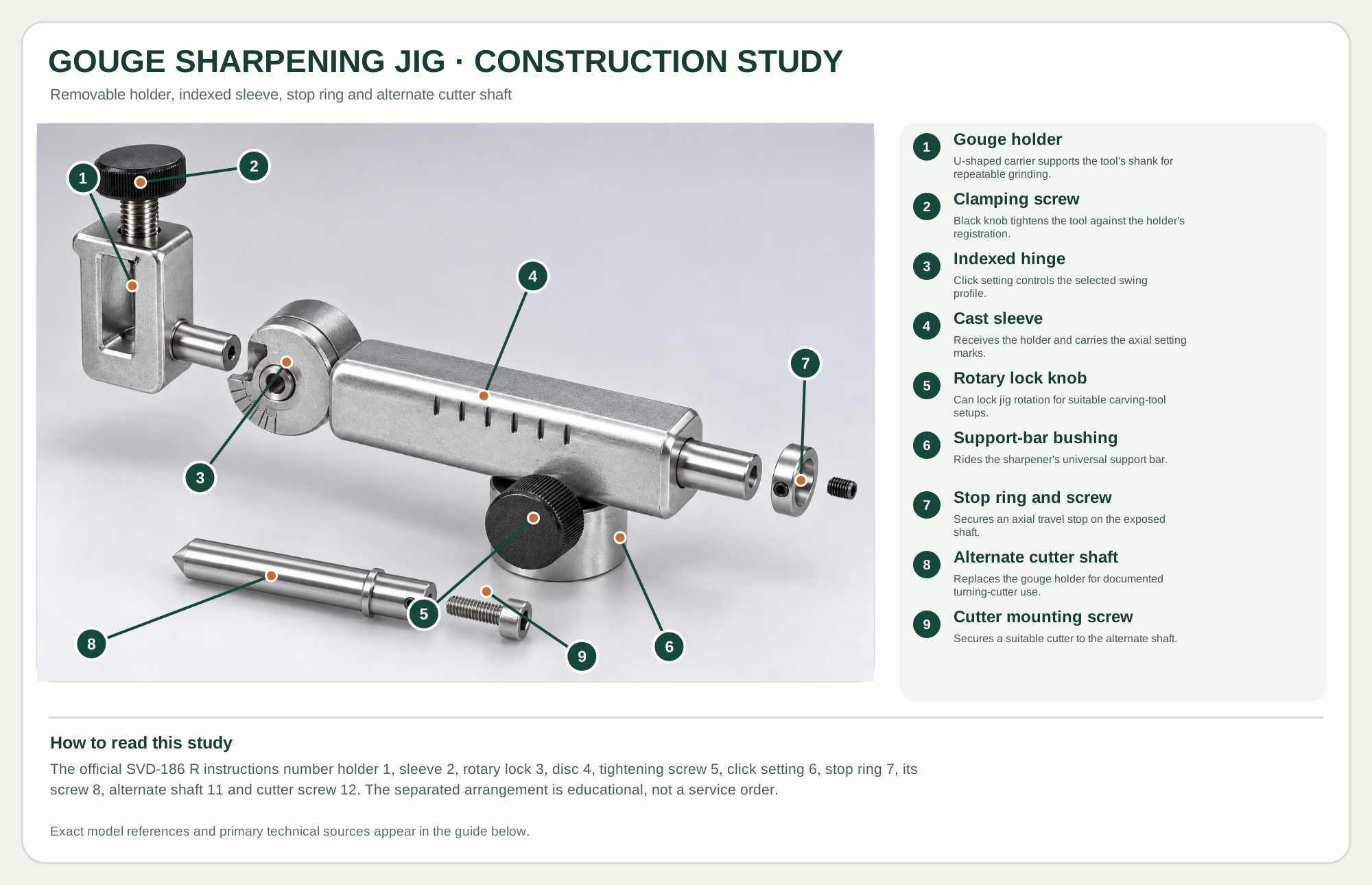
U-shaped carrier supports the tool's shank for repeatable grinding.
Black knob tightens the tool against the holder's registration.
Click setting controls the selected swing profile.
Receives the holder and carries the axial setting marks.
Can lock jig rotation for suitable carving-tool setups.
Rides the sharpener's universal support bar.
Secures an axial travel stop on the exposed shaft.
Replaces the gouge holder for documented turning-cutter use.
Secures a suitable cutter to the alternate shaft.
Technical references: Tormek SVD-186 R official product · Tormek SVD-186 R official instructions. The gouge holder registers a tool and slides into the indexed sleeve. The sleeve rides the wet sharpener's universal support; the lock knob can stop its rotary motion. The shaft stop ring limits travel. The alternative cutter shaft is a documented second configuration, not a simultaneously installed internal part. Original educational artwork depicts documented component groups and their relationships; it is not a service sequence or a replacement for the exact model manual.
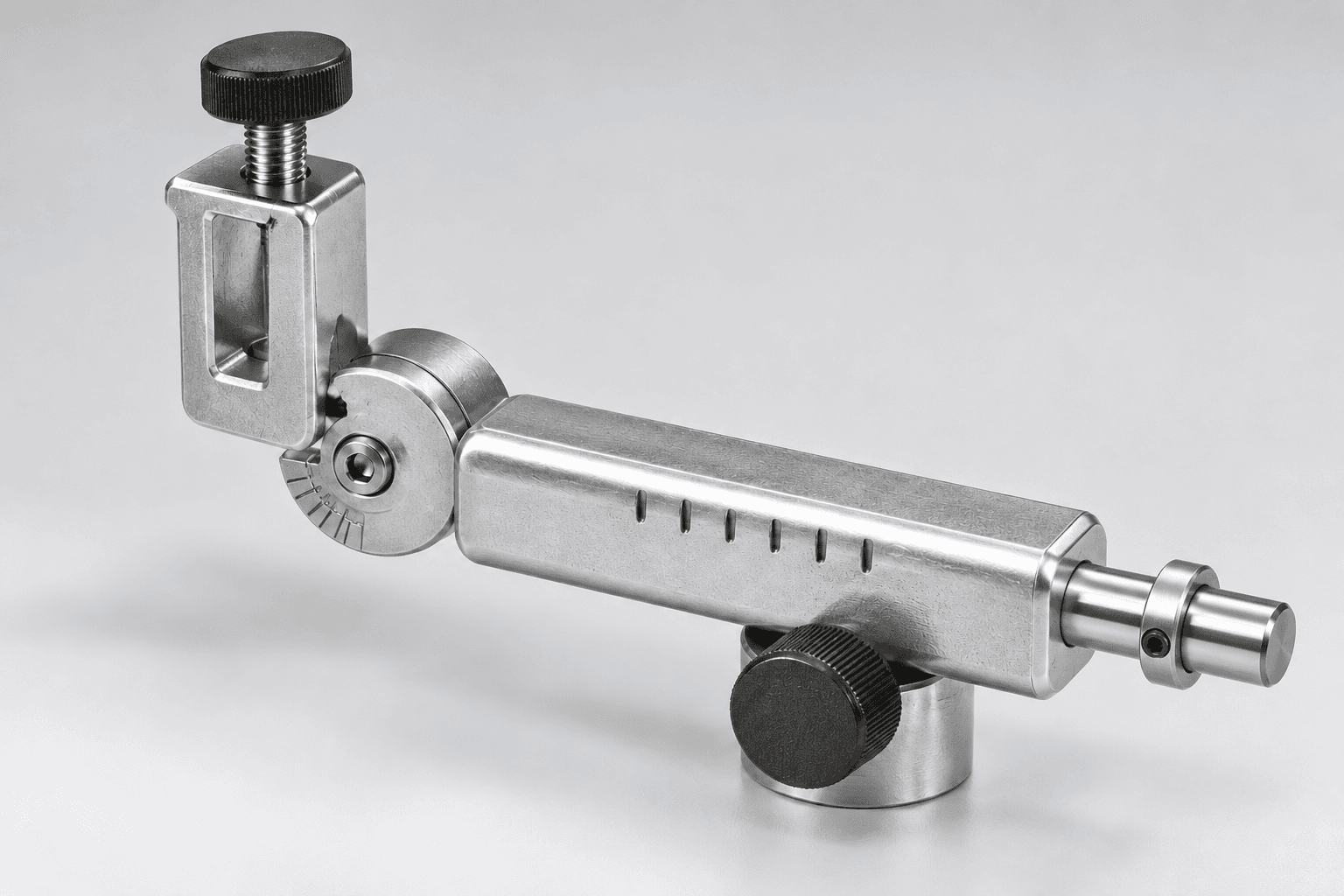
The Tormek SVD-186 R combines a removable tool holder, indexed sleeve, rotary locking knob and stop ring for sharpening turning gouges, carving tools and suitable cutters on compatible Tormek systems. The maker lists precision-cast zinc, stainless steel and black composite knobs. A separate alternate shaft and mounting screw are supplied for turning cutters. The TWG artwork is brand-neutral but retains this exact model as the technical reference.
The holder clamps a gouge against its registration disc. Its stem runs in an indexed sleeve so the user can choose a repeatable swing setting. The sleeve bears on the wet sharpener's universal support bar; a rotary locking knob can fix motion for certain tool forms. A stop ring on the projecting shaft sets a travel limit. The manufacturer manual supports separating the holder, sleeve, stop ring and alternate cutter shaft, but the image is a teaching arrangement rather than a reassembly procedure.
The holder supports the gouge shaft. Tighten only enough to prevent movement; the clamping screw and registration disc are documented parts.
The click setting controls sweep profile; the separate lower knob can stop rotation for suitable carving tools.
The lower passage rides the universal support; bar position and jig projection together establish the grinding angle.
The stop ring fixes axial travel. For a documented turning-cutter configuration, an alternate shaft replaces the gouge holder and uses its own screw.
These decisions make the mechanism useful at the bench.
Note tool projection, indexed setting and support position so a tested edge can be repeated.
Follow the wet sharpener's water, wheel and support instructions before bringing the gouge to the abrasive.
Mark the existing bevel, test contact with the wheel at rest, and make light passes while watching heat and profile.
Use a documented click setting to sweep the bevel and control wing length consistently.
For eligible profiles, lock rotation as directed and adapt the support position to the existing edge.
Use the separate documented cutter shaft and its mounting screw with a suitable carbide cutter.
Use the steps for a first pass, then inspect the work before changing the setup.
The indexed hinge governs sweep shape; tool projection and support distance establish bevel contact.
The R model's rotary lock supports controlled sharpening of certain carving tools; it is not left locked for every gouge sweep.
The manual shows a separate cutter shaft and mounting screw for turning cutters, not as an internal piece simultaneously fitted with a gouge.
Different bowl and spindle gouges need tested projection and click recipes for the desired wing profile.
Curved and V-gouges can require the lock and careful hand support; follow the exact maker instructions.
The documented alternate shaft enables suitable carbide turning cutters when the gouge holder is removed.
Stop the tool and disconnect power before investigating a fault or changing a part.
Check tool projection, click setting, support position and whether the sweep uses equal travel on both sides.
Stop and inspect clamping screw, registration disc and tool fit; do not grind loose stock.
Recheck the recorded projection, stop ring, support distance and wheel shape.
Use the exact tool manual for setup, limits and replacement parts. These lessons, documents and model pages teach relevant techniques or help compare real variations.
These maker-owned links document relevant tools and tool brands. A product brand may use another company's factory; compare the exact model before choosing parts or accessories.
Cutters, abrasives, guards, guides, dust fittings and service parts vary by tool. Check the model plate and manufacturer manual before ordering or changing a component.
Compare the Powered Sharpening Systems family →Continue through the Tools library