
Outer and inner filters
The removable electrostatic outer stage catches coarser dust, while the inner three-pocket stage addresses finer airborne dust. Their airflow order matters.
Circulate workshop air through a staged filter after dust control at the machine.
An original educational poster identifies 10 documented construction features. The numbered descriptions remain readable below the artwork on narrow screens.
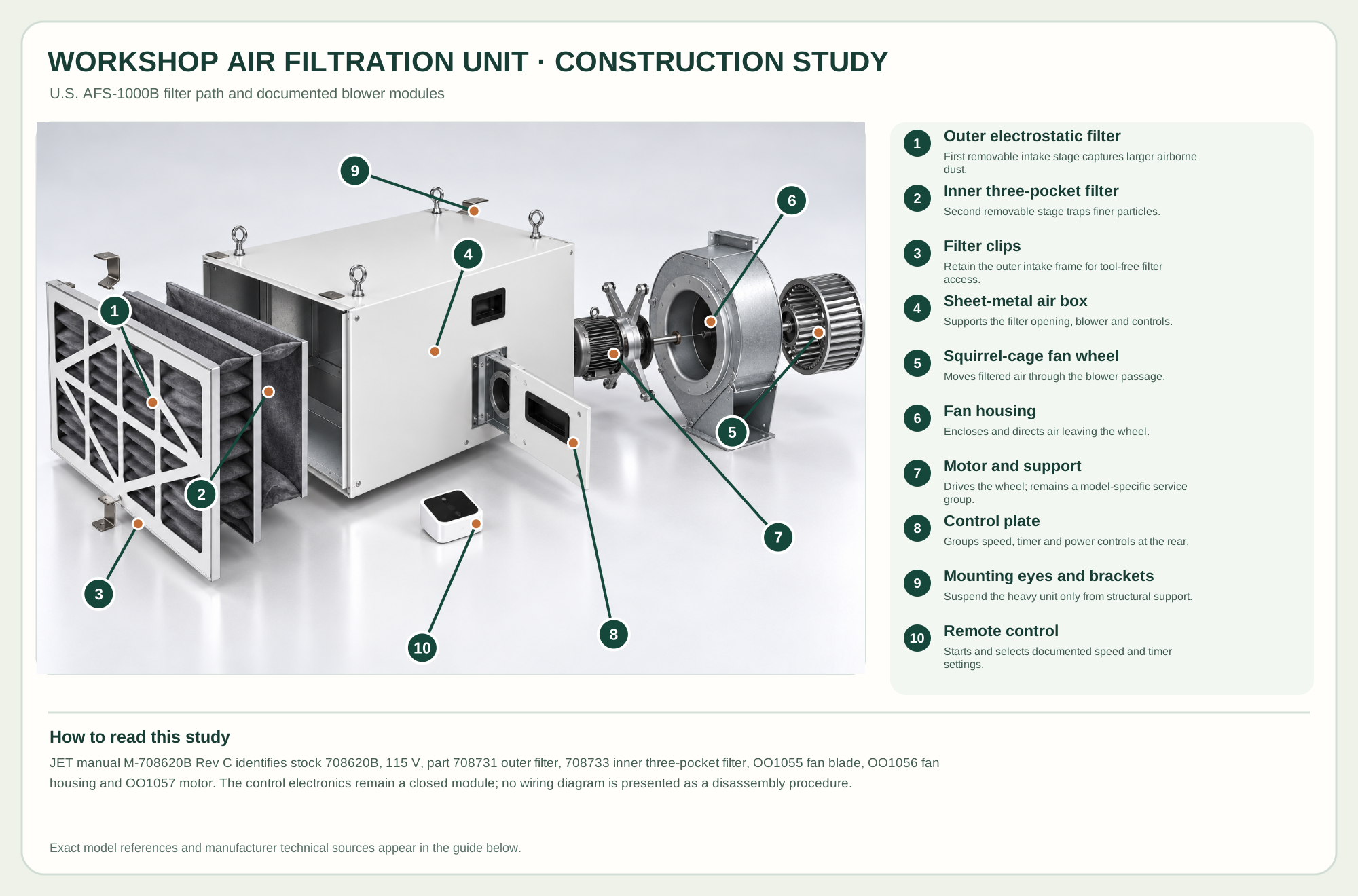
First removable intake stage captures larger airborne dust.
Second removable stage traps finer particles.
Retain the outer intake frame for tool-free filter access.
Supports the filter opening, blower and controls.
Moves filtered air through the blower passage.
Encloses and directs air leaving the wheel.
Drives the wheel; remains a model-specific service group.
Groups speed, timer and power controls at the rear.
Suspend the heavy unit only from structural support.
Starts and selects documented speed and timer settings.
Technical references: JET AFS-1000B U.S. manufacturer-authored manual, Rev C · JET official AFS-1000B replacement parts. Air enters through the outer filter and inner three-pocket filter before the blower returns it to the room. The model-specific service breakdown separates the motor and support, fan housing, and fan wheel along one axle; the illustration shows those relationships without exposing circuit-board internals. Original educational artwork depicts documented component groups and their relationships; it is not a service sequence or a replacement for the exact model manual.
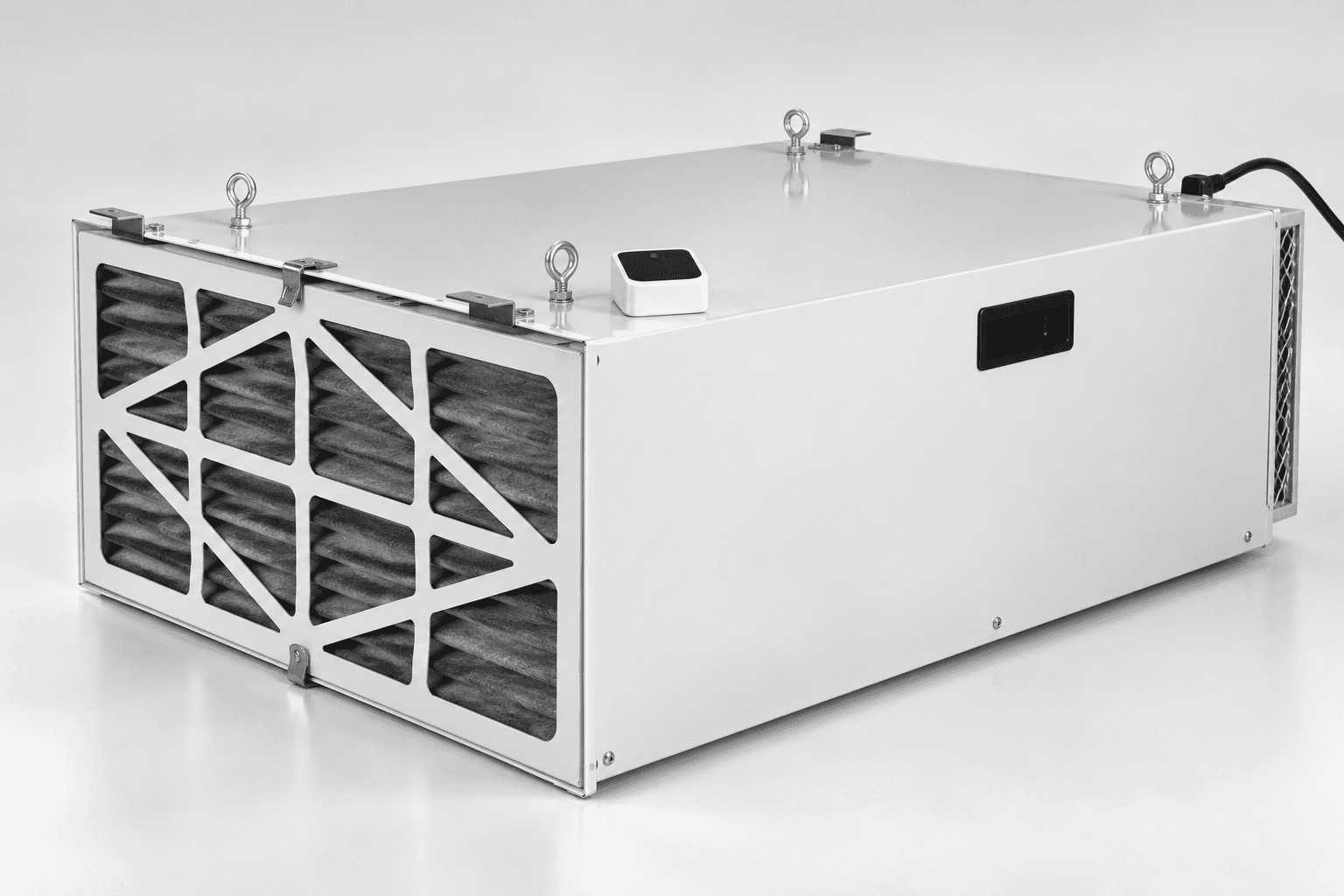
The U.S. JET AFS-1000B, stock 708620B, is a 115-volt ambient air filtration unit. Its manufacturer manual lists a 5-micron outer electrostatic filter, 1-micron inner three-pocket filter and three airflow settings: 556, 702 and 1044 CFM. A separate motor-driven blower returns filtered air to the room. The original TWG image depicts the B model's low rectangular sheet-metal housing and filter opening without manufacturer branding. It does not mix in the later AFS-1000C display module or an international 230-volt variant.
Room air enters the clipped outer filter, crosses the inner pocket filter and then reaches a motor-driven fan wheel inside a round housing. The blower sends air back into the workshop through the opposite end. A control plate and remote select speed and timed operation. The service drawing supports distinct filter, air-box, fan wheel, fan housing, motor and control-plate groups; the study keeps electronics enclosed rather than claiming a precise hidden wiring assembly. This is a component relationship study, not a field-repair sequence.
The removable electrostatic outer stage catches coarser dust, while the inner three-pocket stage addresses finer airborne dust. Their airflow order matters.
The metal enclosure supports both stages; clips retain the outer filter and permit access only after unplugging the unit.
The maker lists fan blade OO1055, housing OO1056 and motor OO1057 separately. Service is for qualified personnel, not routine filter maintenance.
The rear control plate, three speeds and 2/4/8-hour timer are documented for this B model; the small remote is an accessory.
Four approved eye bolts or brackets attach to a support capable of at least the manual's 100-pound requirement, never just drywall or a drop-ceiling grid.
These decisions make the mechanism useful at the bench.
Choose an unobstructed location and anchor every mounting point into building structure according to the manufacturer.
Insert the inner pocket filter, then the outer stage in the marked airflow direction and engage the clips.
Select low, medium or high airflow; use the remote's 2, 4 or 8 hour timer only as directed.
Use source extraction at a saw, planer or sander first; run the ambient unit to reduce dust left suspended in the room.
Use a documented timer interval after work while continuing to observe the manufacturer's electrical and unattended-use precautions.
Unplug the unit, release the clips and inspect both filter stages without disturbing the internal electrical compartment.
Use the steps for a first pass, then inspect the work before changing the setup.
This unit recirculates room air after dust is airborne. It does not replace capture at the cutter or respiratory protection suited to the task.
B-model parts and its 115-volt motor cannot be assumed to match the C series or 230-volt international machines.
The manual's micron labels and airflow figures describe the machine, not a guarantee that a particular workshop meets an exposure limit.
JET identifies 708731 as its electrostatic outer stage.
The manual lists 708732 as a washable alternative; use only a compatible JET replacement and follow its care directions.
JET lists 708734 as an option, but the ordinary two-stage wood-dust study does not claim a charcoal stage is included.
Stop the tool and disconnect power before investigating a fault or changing a part.
Check outer and inner filters, blocked grille, fan operation and the selected speed.
Check remote batteries, line of sight and the manual control before suspecting internal electronics.
Turn off and unplug; inspect airflow restrictions and follow the manual's reset interval rather than bypassing the switch.
Use the exact tool manual for setup, limits and replacement parts. These lessons, documents and model pages teach relevant techniques or help compare real variations.
These maker-owned links document relevant tools and tool brands. A product brand may use another company's factory; compare the exact model before choosing parts or accessories.
Cutters, abrasives, guards, guides, dust fittings and service parts vary by tool. Check the model plate and manufacturer manual before ordering or changing a component.
Compare the Dust Collection & Air Filtration family →